Running PHP in the Browser: The Architecture and Trade-offs of WordPress Playground
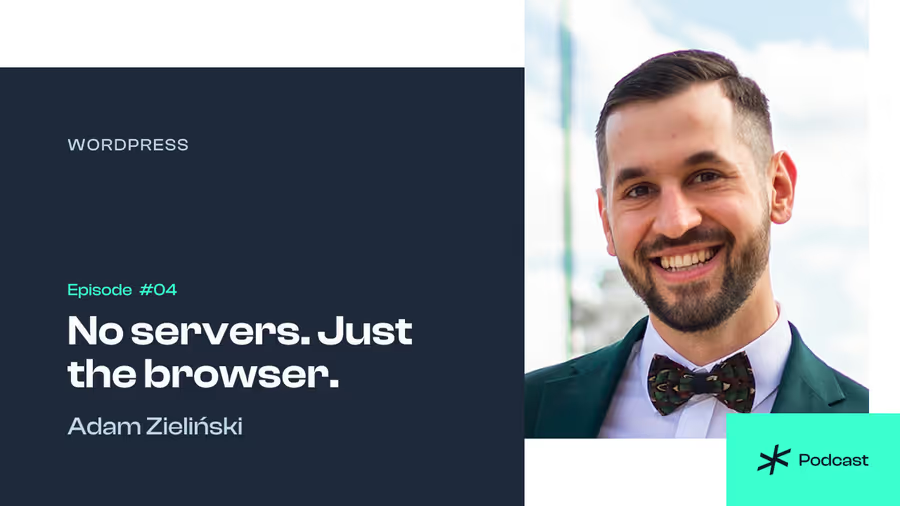
Adam Zieliński explains how WordPress Playground works, the WebAssembly challenges it had to solve, and what other CMS ecosystems can learn from the approach.
How Playground Started
In a conversation led by Maciek Palmowski, one of the CmsConf organizers, Adam Zieliński, WordPress Playground Architect at Automattic, traces the origin of Playground to a single moment of frustration: he was writing a WordPress tutorial and reached the setup section. Listing steps for configuring a web server, PHP, and optional Docker — across operating systems — was several pages of documentation that would still be wrong for half the readers. His response was to skip writing that section entirely and build the thing that would make it unnecessary.
The decision to run WordPress client-side in the browser was not the first option considered. Shared servers were cheaper in terms of tutorial-writing time, but they require infrastructure maintenance, introduce security exposure, and create privacy risks for users. The browser was the path that eliminated all of those costs simultaneously. What followed was roughly 100 hours of work to avoid writing three pages of setup instructions — a trade-off Adam describes as “a typical developer approach to automation, except this time it worked.”
If you haven’t tried WordPress Playground yet, this is a good moment to reconsider that. Automattic’s Studio desktop app puts a full WordPress development environment on your machine in seconds — no server, no Docker, no PHP installed locally. It ships with AI integration and a direct connection to Playground’s live-site sync features currently in development. This is the fastest path from “I want to test something in WordPress” to actually testing it.
What Playground Is Architecturally
Playground runs WordPress entirely on the client side using WebAssembly — the PHP interpreter is compiled to WASM and executed in the browser, with no server involved. This means it works offline, on any major browser, on mobile, and can be embedded in contexts far outside the browser itself: the Studio desktop app uses it, so does a Playground CLI, a browser extension for learning WordPress, and — through the Electron runtime — a full contributor environment that bundles PHP, Node, and Git in a single app.
The key property is portability without infrastructure cost. You can embed a live, interactive WordPress instance in a documentation page, a plugin landing page, or a pull request preview — and neither you nor the visitor needs to provision anything. The operational cost of that WordPress instance is zero on your side.
Adam describes Playground as “a vehicle.” That characterization is more accurate than “a demo tool.” Its role is not to simulate WordPress — it runs real WordPress, real plugins, real themes. The constraint is the runtime environment, not the application.
Actual Use Cases (Including Unexpected Ones)
The integration with GitHub is a concrete production use case: pull request previews for WordPress core patches and WooCommerce changes run in Playground, giving reviewers a live environment tied to the specific changeset. Translation workflows use Playground to display translatable strings in context, with the ability to submit translations without downloading anything.
Adam also describes use cases that were entirely outside what the Playground team anticipated:
A contributor built a WordPress instance on a blockchain using Playground as the runtime. The specific mechanics are not detailed in the conversation, but the fact that Playground’s self-contained nature made it viable for that context is notable.
Alex Kirk built my.wordpress.net, a persistent personal Playground. Unlike the default playground.wordpress.net which generates a fresh instance per session, this variant gives the same environment across visits. It was extended to analyze message history from Beeper — effectively using WordPress as an application runtime for personal data analysis.
Block Notes, a note-taking app published in the Apple App Store, was originally built as WordPress embedded in an iOS app through WebAssembly. At the time of its initial release, embedding Playground was the simplest available path to ship a Gutenberg editor in a native app. The Gutenberg framework has since made this easier, and the app now uses that directly — but it illustrates how quickly practical engineering constraints can make an unlikely architecture the path of least resistance.
The Core Technical Challenge: Synchronous PHP in an Asynchronous Runtime
PHP is synchronous. When PHP makes a network call natively, the process issues a syscall, the OS handles the I/O, and execution resumes once the result is available. The calling PHP code blocks and waits on that specific line.
JavaScript does not work this way. Network calls in JavaScript are asynchronous — execution continues immediately, and the result arrives via a callback or a resolved Promise. When a WebAssembly binary (compiled from C or PHP) is integrated with JavaScript, it must use JavaScript’s networking stack. That means a synchronous PHP program suddenly has to bridge into an asynchronous runtime.
The modern solution is JSPI — JavaScript Promise Integration — a WebAssembly API that makes this integration manageable. Chrome has supported it for approximately two to three years. Firefox added support roughly within the last year or two. Safari supports it only in tech preview as of this conversation; the stable release does not.
The older alternative is Asyncify, a compilation approach that requires the developer to enumerate every function in the call stack that is present when a network call is made, and list them as a compilation flag. If any function is missing from that list, the result is a fatal error with no targeted debug information. Identifying the missing function requires a multi-hour cycle of rebuilds, each of which takes significant time, repeated across all supported PHP versions — because function names differ between versions. Adam describes this process as taking three days and leaving the developer in a state where “you don’t want to live anymore, but your PR finally works.”
Playground is currently maintaining an Asyncify build specifically because Safari does not yet support JSPI. That maintenance burden is ongoing.
Multi-Process Constraints and SQLite Locking
The browser does not provide native multi-process support at the WebAssembly level in the same way a server OS does. On a server, a shared file system is accessible across processes. In the browser, Playground currently runs single-threaded.
Adam notes that this is less damaging than it sounds, because most of the waiting in a typical WordPress request is I/O, not CPU. When a PHP instance waits on a network call or a storage write, both of which are async in the JavaScript runtime, other PHP instances can run on the same thread. Playground simulates multi-worker behavior within a single thread. Performance is acceptable, but it would be better with true multi-process support — which is a known gap currently being worked on.
A separate structural problem is SQLite file locking. SQLite uses FCNTL on Linux (and lockX on Windows) to lock byte ranges within a database file, preventing data corruption under concurrent access. The Emscripten toolchain — which Playground uses to compile C/PHP to WebAssembly — does not implement these syscalls. Brandon Payton, the Playground team lead, spent roughly two to three months implementing file locking for Node in a way that works across Windows, Linux, and macOS, using native APIs where necessary via compiled modules. The browser implementation of this is still in progress.
Cross-Ecosystem Collaboration and the Component Model
Typo3 forked WordPress Playground to build its own browser-based environment. This is a meaningful data point: the PHP WebAssembly plumbing in Playground is complex enough that building it from scratch is a significant investment, and Typo3 evaluated it and concluded reuse was the right path.
The collaboration has been productive in both directions. Typo3 requires PHP extensions that WordPress Playground did not previously ship — specifically PHP INTL and several others. Typo3 contributors implemented those extensions and contributed them upstream. As a result, Playground now ships INTL. A CMS that started as a WordPress tool now has capabilities it acquired through a Typo3 contribution.
PrestaShop recently opened issues in the Playground repository — indicating they are building a Playground variant using the same foundational packages. Adam’s position is direct: the right outcome is a shared investment in a common base rather than parallel silos that each get “kind of there, but not quite there.”
The structural mechanism that could formalize this is the WebAssembly Component Model — a proposal that defines typed, versioned interfaces for WebAssembly packages. Under that model, a package that starts a web server could declare a standard interface (IP, port, config), and any CMS could integrate it without knowing the internals. The component model is not production-ready yet but was a significant topic at WASM Conf in Barcelona. Adam frames it as “NPM or Composer for WASM, but more specifically about the interaction model between packages rather than a package manager per se.”
Why JavaScript CMSs Have Not Gone This Route
Maciek Palmowski raises a structural question in the conversation: if PHP CMSs are investing in WebAssembly playgrounds, why haven’t JavaScript-based CMSs done the same? JavaScript is already the browser’s native language — the barrier should be lower.
Adam’s answer is counterintuitive: running Node.js in the browser is actually more technically challenging than running PHP in the browser.
PHP has two viable paths to WebAssembly: ship the PHP runtime compiled to WASM (the only option, since PHP cannot run in the browser’s VM natively). That path is hard, but clear. JavaScript has two theoretical paths: ship a WASM-compiled JavaScript engine (V8, for example) and use it as a runtime — but there is no mature open-source implementation of this, and its complexity is significant. The second path is to polyfill the Node.js standard library so that the browser’s native V8 can run the code directly — but Node.js has an extensive standard library, and many of its APIs ultimately depend on OS-level syscalls (file system, process management, IPC) that WebAssembly build tools do not fully cover. The missing piece is a kernel: a comprehensive JavaScript implementation of OS syscall interfaces. That does not currently exist in a form that covers what Node.js actually needs.
PHP is synchronous by default, which — despite the JSPI/Asyncify problem — makes its execution model simpler to compile for WASM than a runtime built around an event loop. Adam describes the situation plainly: “PHP runtime, I think, is much simpler to WebAssembly than JavaScript runtime, just because it is synchronous.”
The Competitive Framing
Adam’s argument for why CMS ecosystems should invest in browser-native environments is not primarily technical — it is competitive. The absence of a low-friction entry point is an implicit penalty on a CMS’s adoption rate.
For users: if one CMS can be evaluated in 30 seconds via a link, and another requires an installation process with prerequisites, a non-trivial portion of evaluators will not complete the second path. The user who reaches a working environment first has already filtered out alternatives.
For developers: a shareable, self-contained runtime means onboarding is a link rather than a documented procedure. It also means that anyone — including contributors with a Windows machine and no development environment — can reach a working state quickly.
For contributors specifically, Adam describes an Electron app that the Playground team demonstrated at WordCamps: it starts a full WordPress core contribution environment — PHP, Node, all dependencies, Git — as a single downloadable app. The problem it addresses is real: at contributor days, a significant portion of the scheduled time — sometimes the majority — is consumed by environment setup. On a fresh Windows laptop without a terminal, Adam observed setup taking 40 minutes under favorable conditions (personal mobile internet rather than shared venue Wi-Fi). Others have reported full days that ended without a working environment.
The pitch Adam offers to other CMS ecosystems is framed as a market pressure argument: “Others are breaking those barriers. Other CMSs are making it easier to use, to contribute, to develop with. If your CMS is not doing that, you’re falling behind.”
The Two-to-Five Year Outlook
Asked whether running a full CMS in a browser tab will be a standard developer expectation within two to five years, Adam’s answer is yes — with qualifications. WebAssembly tooling has rough edges. Cross-browser support gaps (specifically Safari’s JSPI gap) impose real maintenance costs. Multi-process support in the browser is unsolved. These are engineering problems with known paths to resolution, not architectural dead ends.
The underlying constraint is selection behavior. Adam frames it simply: if a developer is evaluating a tech stack and one option can be tried immediately without setup while another requires Docker or a package installation procedure, the option with the lower activation cost wins — unless the value proposition of the harder option is dramatically clearer. Most evaluators will not run that comparison. They will proceed with what worked first.
Playground is where you learn what running PHP without a server actually means in practice — not from documentation, but from a live environment in a browser tab. If you are building plugins, themes, or workflows on top of WordPress, playground.wordpress.net and the Studio desktop app from Automattic are where that experimentation happens with zero infrastructure risk and zero setup cost. The live-site sync feature currently in development will make the loop between Playground and production even tighter. The time to get familiar with that workflow is before your team needs it under pressure, not during.
Tags
Keep Reading

SEO After the CMS Absorbed the Technical Layer
Aleksandra Kołodziejska of Top Online on GEO, the 90/10 content split, and why real experience became the strongest ranking signal for local business sites.
Spoiled for Choice: Picking a Platform for Your Online Course
Mary Czekaj on how course creators end up on the wrong platform, what that mistake actually costs, and why good enough beats perfect when choosing where to sell.
What Clients Say They Want vs What They Actually Need
Piotr Cezary Wojciechowski of Softwareness on client discovery as an architectural decision: separating stated wants from real needs before any CMS is chosen.